

Count Days Away From a Place
Some rules limit how long you are absent rather than how long you are present. Set a tracker’s Limit unit to Away, and it counts the days no stay in its places touches.
Set the Away unit
- Open the tracker editor, or start a new tracker, and select the places you are absent from.
- Tap the Limit row.
- Choose Away in the segmented control beside Days and Nights. The sheet explains it: Counts the days no stay in the selected places touches.
- Set the number, and tap Done. The row then reads, for example, 180 days away.
Many presets already use it, such as US Green Card Absence Limit and UK Indefinite Leave to Remain. Find them under the Residence and Citizenship pills in Add a Tracker.
What counts as away
A day counts as away when no dated stay in the tracker’s places touches it. That covers days in other countries and days with no trip recorded at all. Arrival and departure days belong to the stay, so they are not away days. Overlapping trips are merged.
Record your home stays too
Because a day with no recorded stay counts as away, a tracker for the place you live needs your time there in the Timeline. If a month at home is missing, that month reads as time away.
Transit and Year Only trips are not stays. A Transit trip or a Year Only trip in a tracked place does not count as presence, so those days can read as away. Save a stay with exact dates and without Transit if it should count as time in the place.
Window and per-absence counting
With a Rolling or Year window, the tracker counts all away days inside that window, for example 180 days away in any 12 months.
With a Per Entry window it becomes a per-absence tracker, labelled Per absence. It measures the current run of away days since your last stay in the place ended, or the most recent completed absence when you are back. Two stays on consecutive days leave no absence between them. The Start date sets when tracking begins, and before that date nothing is counted; a start still in the future shows Starts in N days.
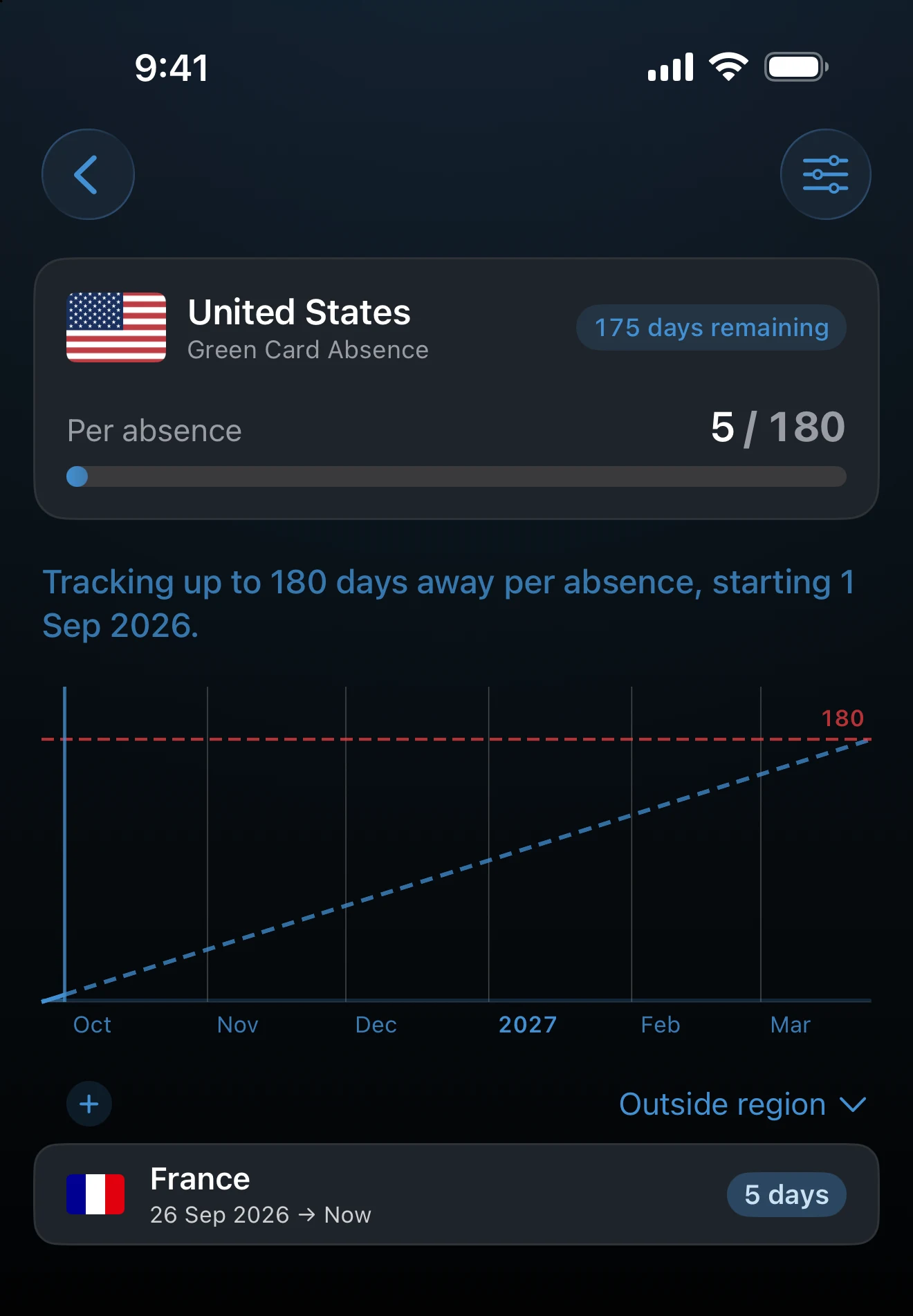
Choose which trips the list shows
On a days-away tracker’s detail screen, the menu above the trip list has a Show trips section with Inside region, Outside region, and All trips. The default is Outside region, which lists the trips that make up your absence. The choice is saved on this device for that tracker and changes only the list, never the count.
If the away count looks wrong
Check for gaps in the Timeline inside the window, since unrecorded days count as away. Then check for Transit or Year Only trips in the tracked places, and confirm that stays you are still on have no end date, so they run through today.
Last updated September 30, 2026