

Create a Tracker
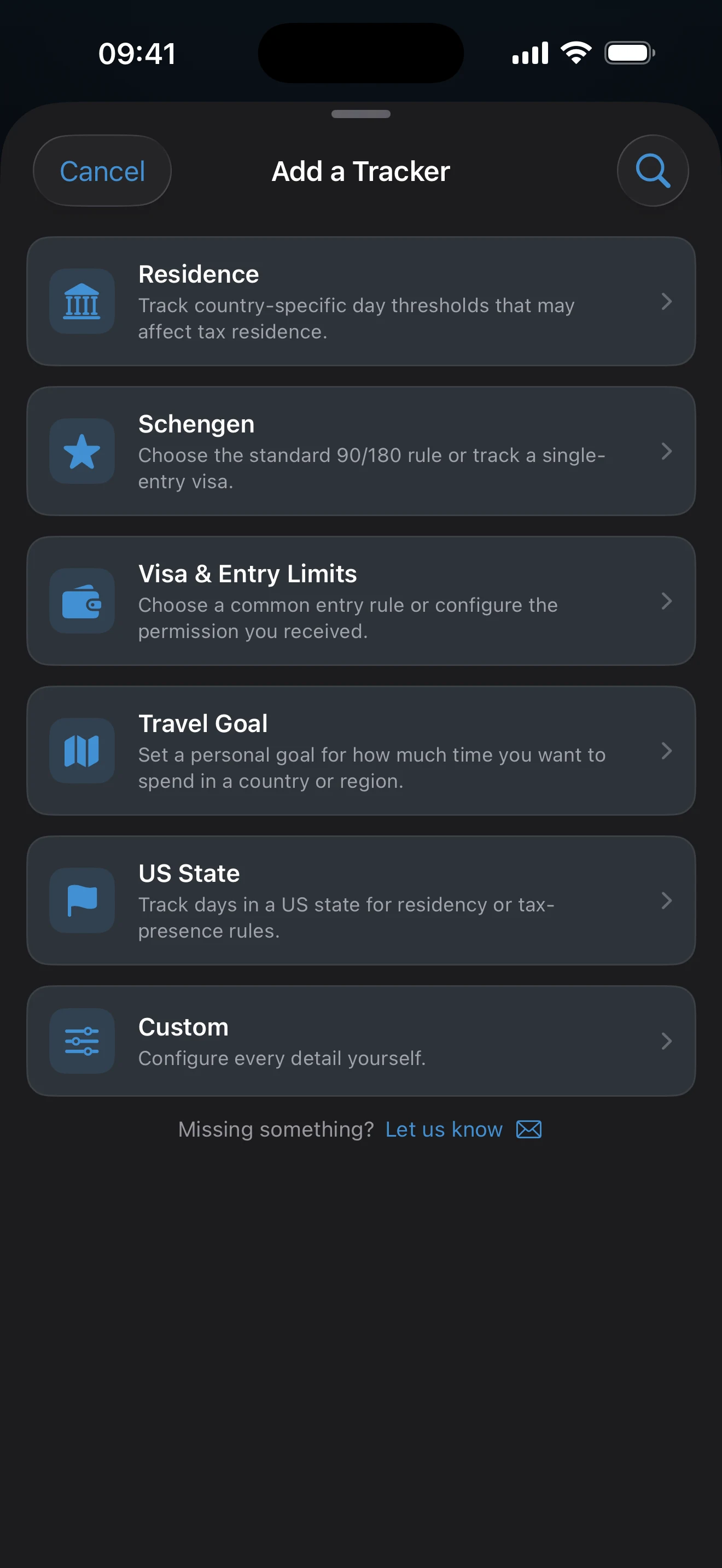
On the Dashboard, tap +, choose a preset or Custom, check the rule in the editor, and tap Save. A tracker counts only trips already in your Timeline that have exact dates.
Add a tracker
- Open the Dashboard and tap + at the top right. The Add a Tracker sheet opens.
- Tap one of the filter pills, or tap the magnifier and search for a rule or a country. Choose a tracker preset covers the list in detail.
- Tap a preset, or tap the pinned Custom card to build the rule yourself.
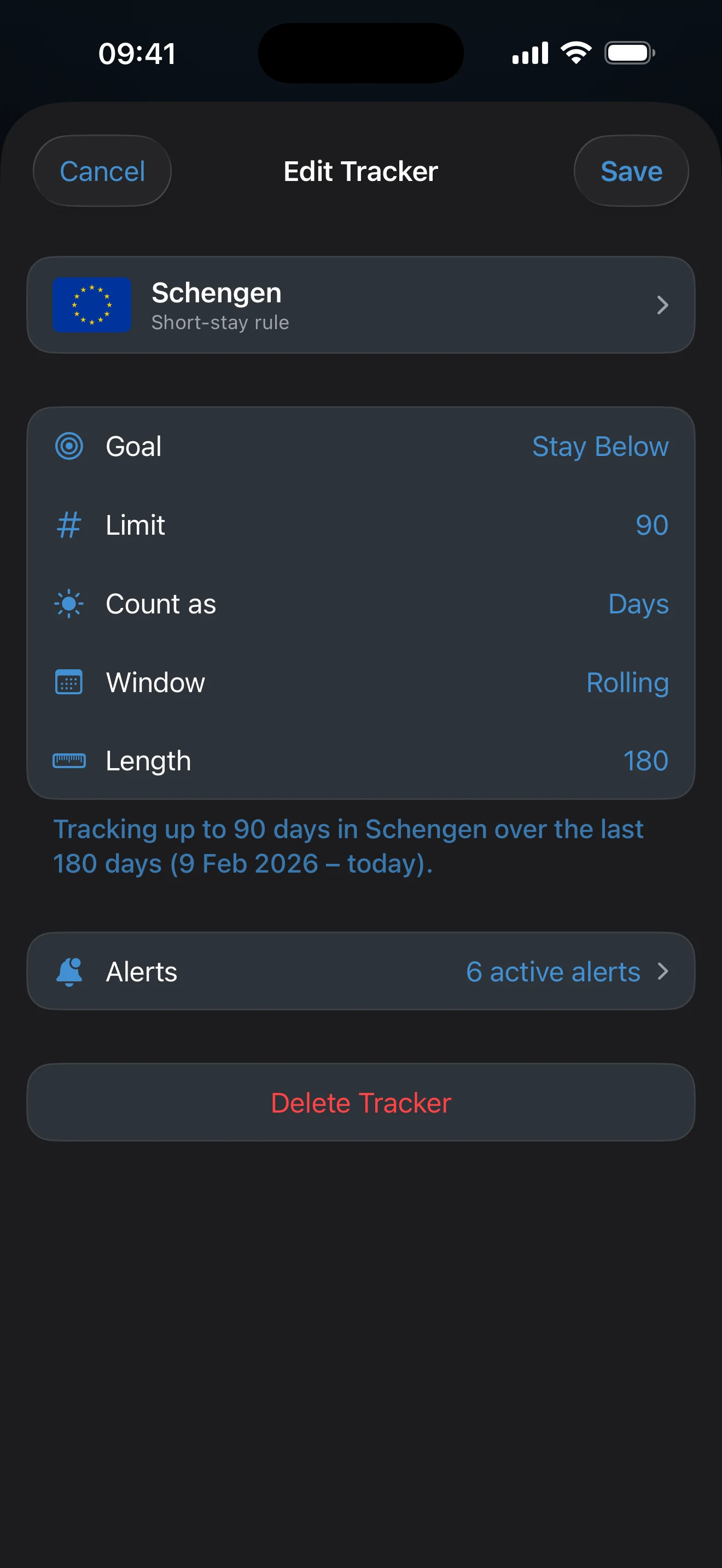
- Review the rule in the editor. The sentence under the rows describes what the tracker will count, and Learn more opens the guide for that rule.
- Tap Save.
The tracker takes its name from the places it counts. Tap the card at the top of the editor to change the name or subtitle, or to change the countries.
Set the rule
The editor shows the rule as a short list of rows. A preset fills them in; Custom starts with your own choices.
- Goal: Stay Below treats the number as a Limit you should not pass. Reach Target treats it as a Target you are working toward.
- Limit (or Target): the number and what it counts. Days counts arrival and departure days in full, Nights counts the nights between arrival and departure, and Away counts days spent outside the tracker’s places. Counting days away from a place explains that last unit.
- Window: the period the count covers, described below.
Choose the window
- Rolling is a sliding window that ends today, like the Schengen 90/180. The Length row sets it in days or in calendar months.
- Year counts one year, beginning on the date in the Starts row. A 1 January start is a calendar year; any other date makes it a fiscal year.
- Per Entry counts days from the date in the Start row and follows one stay at a time instead of adding separate visits. How tracker totals are calculated explains what each window measures.
Review the places
A tracker with several countries counts qualifying days across all of them. A US state tracker needs state-tagged United States trips: a US trip saved without a state cannot feed a state tracker, and the row then reads States instead of Countries.
Presets are starting configurations
A preset saves setup time. It does not change the rule you are actually subject to, so confirm it matches your nationality, permission, purpose, and current situation before relying on the number. Want the Schengen 90/180 rule? The dedicated walkthrough is quicker than building it by hand.
Tracking one limit is free. A second tracker, US state trackers, and trackers with two limits need AtlasDays Pro. You can set up any of them without Pro; the upgrade prompt appears when you tap Save.
If the new tracker has no days
Confirm that its places match your trips, and that the relevant trips have start and end dates rather than Year Only, and are not marked Transit. A trip that starts in the future does not count until its dates arrive.
Last updated September 30, 2026