

Smart Alerts
Smart Alerts notify you as a tracker approaches or reaches its limit or target. They are set per tracker, look ahead using your recorded and planned trips, and need notification permission.
Turn on alerts
- Open the tracker’s editor: tap the sliders icon on its detail screen, or long-press its card on the Dashboard and choose Edit.
- Tap the Alerts row. Its value reads Off, On, or the number of active alerts.
- Turn on the Alerts toggle, and allow notifications when iOS asks.
- Set the Time alerts are delivered. The default is 9:00.
- Under Alert when, tap + to add a milestone, or tap the trash icon on one to remove it.
- Go back and tap Save. Alert changes are stored with the tracker, so Cancel discards them.
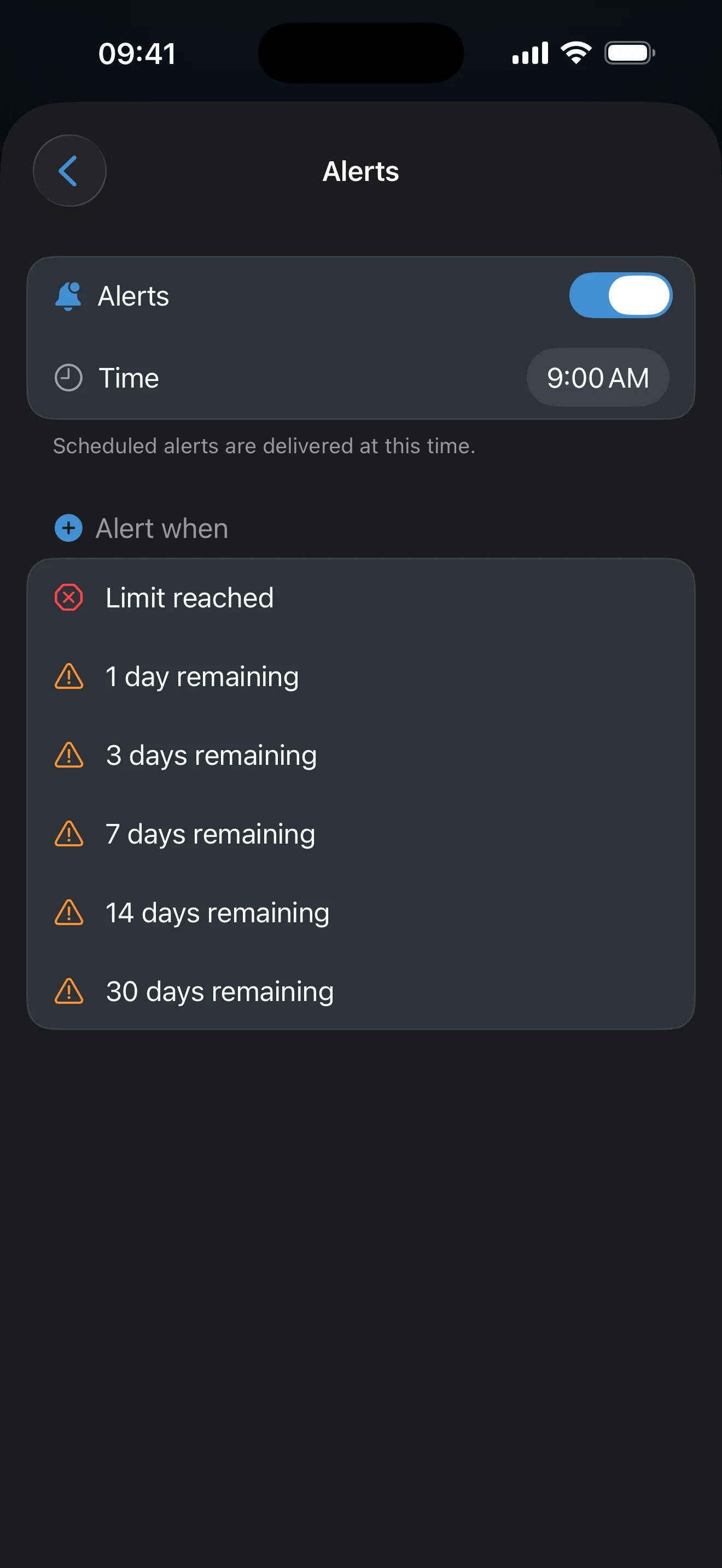
Milestones
On a Stay Below tracker a milestone reads N days remaining, and Limit reached is the final one. On a Reach Target tracker it reads N days to go, ending with Target reached. New trackers start with a set based on the limit; a Reach Target tracker starts with the finish line alone.
Alerts look ahead
AtlasDays projects the tracker about a year forward from your recorded trips, an ongoing trip, and planned trips. It schedules each alert for the date the milestone is expected to be reached, delivered at your chosen time. An alert can therefore arrive before the total has crossed the milestone, and a change to a trip or to the tracker’s rule moves the date. For a tracker with two limits, alerts follow whichever limit is nearest.
Notification permission is separate
A tracker can have alerts configured while notifications are off in iOS. If you turn alerts on without permission, AtlasDays shows Notifications Disabled with an Open Settings button. You can also open iOS Settings → Notifications → AtlasDays yourself.
Smart Alerts and Auto-Detect are different
Smart Alerts concern tracker thresholds. Auto-Detect notifications concern possible new border crossings. Each has its own purpose and settings.
The Alerts toggle requires AtlasDays Pro. Without Pro you can still edit the milestone list, but the toggle stays off and shows an upgrade prompt. The tracker itself works without alerts.
If an alert did not appear
Check AtlasDays notification permission in iOS, confirm the Alerts toggle is on for that tracker and that you saved it, and check the delivery Time. Then compare the milestone with the tracker’s forecast: the alert is scheduled for the date the milestone is expected, which may still be ahead.
Last updated September 30, 2026