
Your Profile
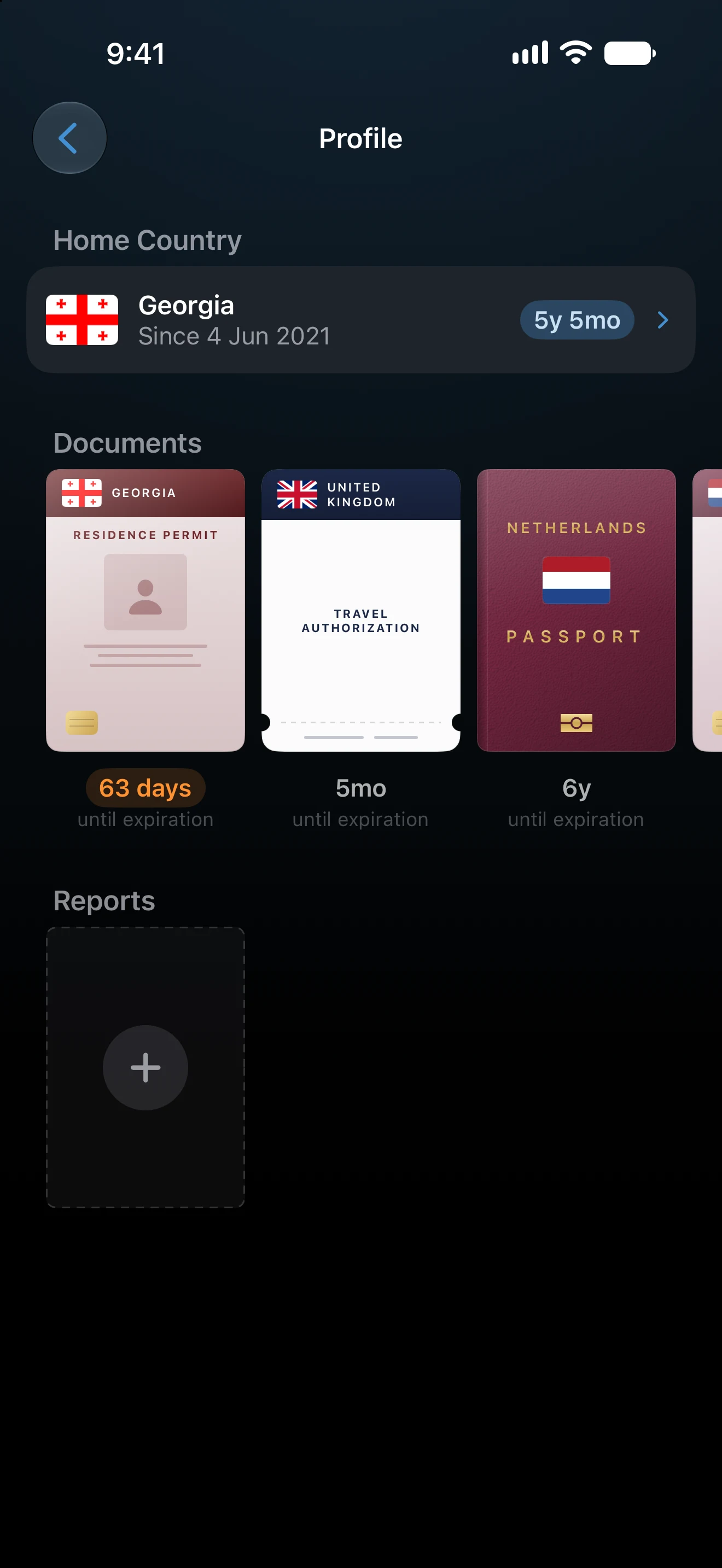
Your Profile, at the top of Settings, keeps where you have lived, your travel documents, and the PDF reports you created. AtlasDays uses where you have lived to count your days abroad, and reminds you before a document expires.
Open your Profile
Open Settings and tap Profile, the card at the top. The first time, AtlasDays asks two questions: Where do you live now?, where you choose a country or No fixed residence, and Which country issued your passport? Both answers help Add a Tracker suggest the trackers that may apply to you. You can change them later.
Where I've Lived
Tap the Home Country card to open Where I've Lived. It lists your residences: each country you lived in, with the dates you lived there.
- Tap + beside Residences to add one, or tap a residence to change its country or dates. A residence without dates counts as home for all time, until a dated residence says otherwise.
- Under Places you may have lived, AtlasDays suggests countries where your trips show you stayed three months or more. Review the dates before adding one: the dates you lived somewhere may differ from your trip dates.
- To remove a residence, open it and tap Delete Residence. Your trips stay.
Days spent in a country while you lived there do not count as days abroad. Because home is taken day by day, a move from one country to another is counted correctly in Statistics. Your residences do not change your trips, your trackers, or how a trip's days are counted.
Documents
Under Documents, add the papers you travel with: Passport, ID Card, Residence Permit, Visa, or Travel Authorization. For each one, choose the issuing country and, if you like, its dates: Issue date and Expiry date, or Valid from and Valid until for a visa or travel authorization. AtlasDays asks for no document number and no photo.
With an expiry date, the document shows how much time is left, and AtlasDays reminds you before it expires:
| Document | Reminder |
|---|---|
| Passport | 6 months before |
| Residence Permit | 3 months before |
| ID Card | 2 months before |
| Travel Authorization | 1 month before |
| Visa | 14 days before |
Reminders arrive at 9:00 on your device. They need notifications to be allowed and Expiring documents to be on in Settings → Notifications; see Smart Alerts. To remove a document, open it and tap Delete Document.
Reports
Every PDF report you create is kept under Reports, ready to open again or share. Tap Create Report to make a new one; Export and Reports explains the options. Touch and hold a report and choose Delete Report to remove it. That deletes the PDF from this device, while copies you shared stay where they are.
Saved reports are kept on this device only. They are not synced over iCloud and are not part of a backup.
Where your Profile is stored
Your residences and documents are stored on your device and, with iCloud Sync on, in your private iCloud account, like your trips. They are included in an AtlasDays backup. Reset AtlasDays deletes them.
If Days abroad looks wrong
Check the dates in Where I've Lived. Days that no residence covers are left out of Days abroad, and a residence that starts late or ends early moves days between home and abroad. If you chose No fixed residence, add the countries you lived in with their dates.
Last updated November 16, 2026