
Statistics
The Statistics screen adds up your Timeline for the period you choose: days in each country, days abroad, places and continents visited, border crossings, and US states. Open it by tapping the Statistics card on the Dashboard.
The Statistics card
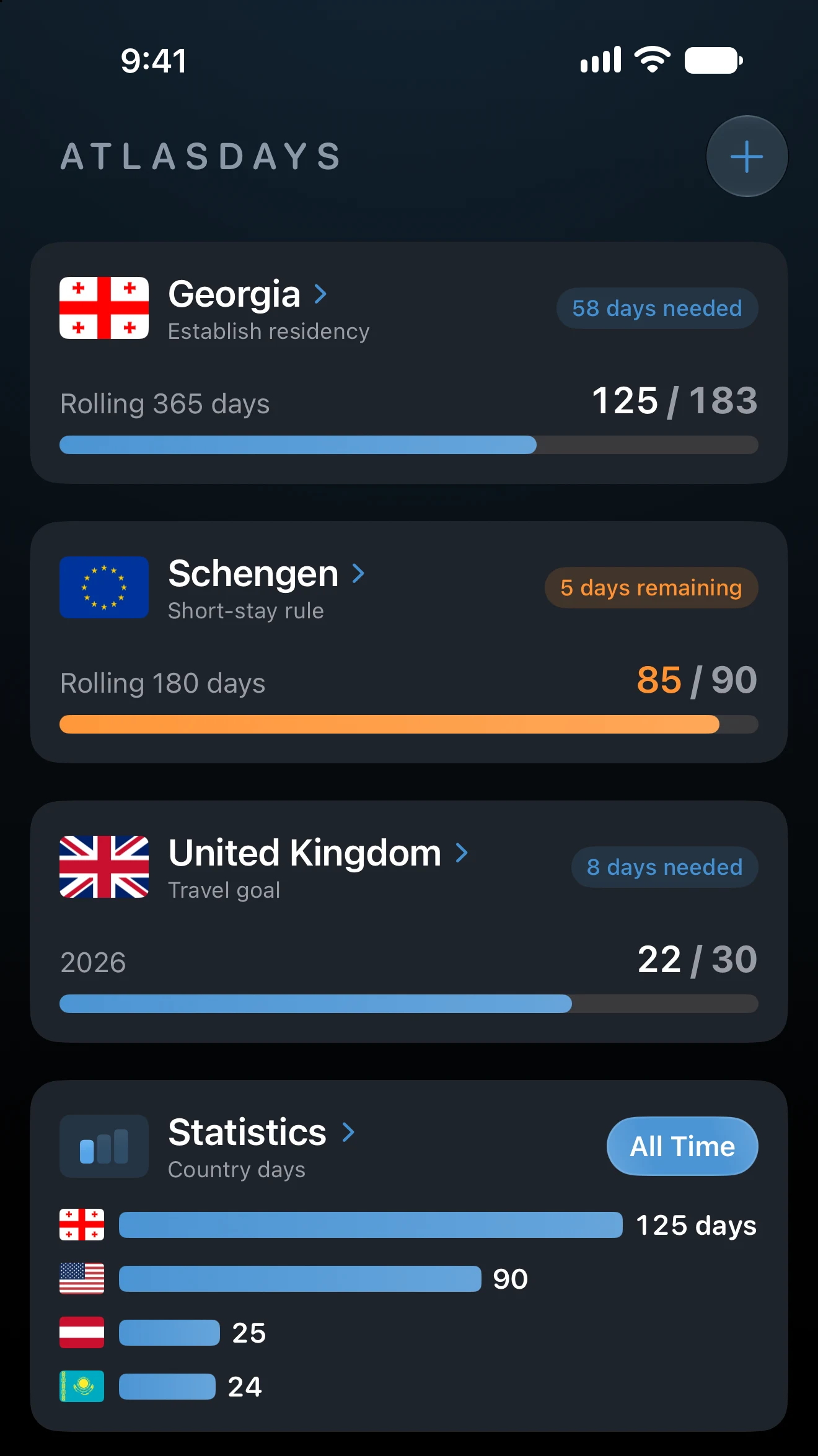
On the Dashboard, the Statistics card shows one figure at a time. Swipe it to move between Country days, Days abroad, and Visited. Days abroad appears once AtlasDays knows where you live. Tap a figure to open its full list, or tap anywhere else on the card to open the Statistics screen.
Choose the period
The period applies to the card, the Statistics screen, and the Dashboard map. Tap the period on the card, or under the Statistics title on the screen, and pick one:
- All Time, for everything you have recorded.
- A year: the current year and the four before it. Picking the oldest year shown reveals the one before.
- 365 days or 180 days, counting back from today.
- Custom, for your own start and end dates, or a whole calendar year. AtlasDays keeps both dates until you change them.
Check the period before comparing a figure with a trip, a tracker, or an export: different periods legitimately show different results.
The cards
Each card shows a figure and a short summary. Tap a card to open its full list.
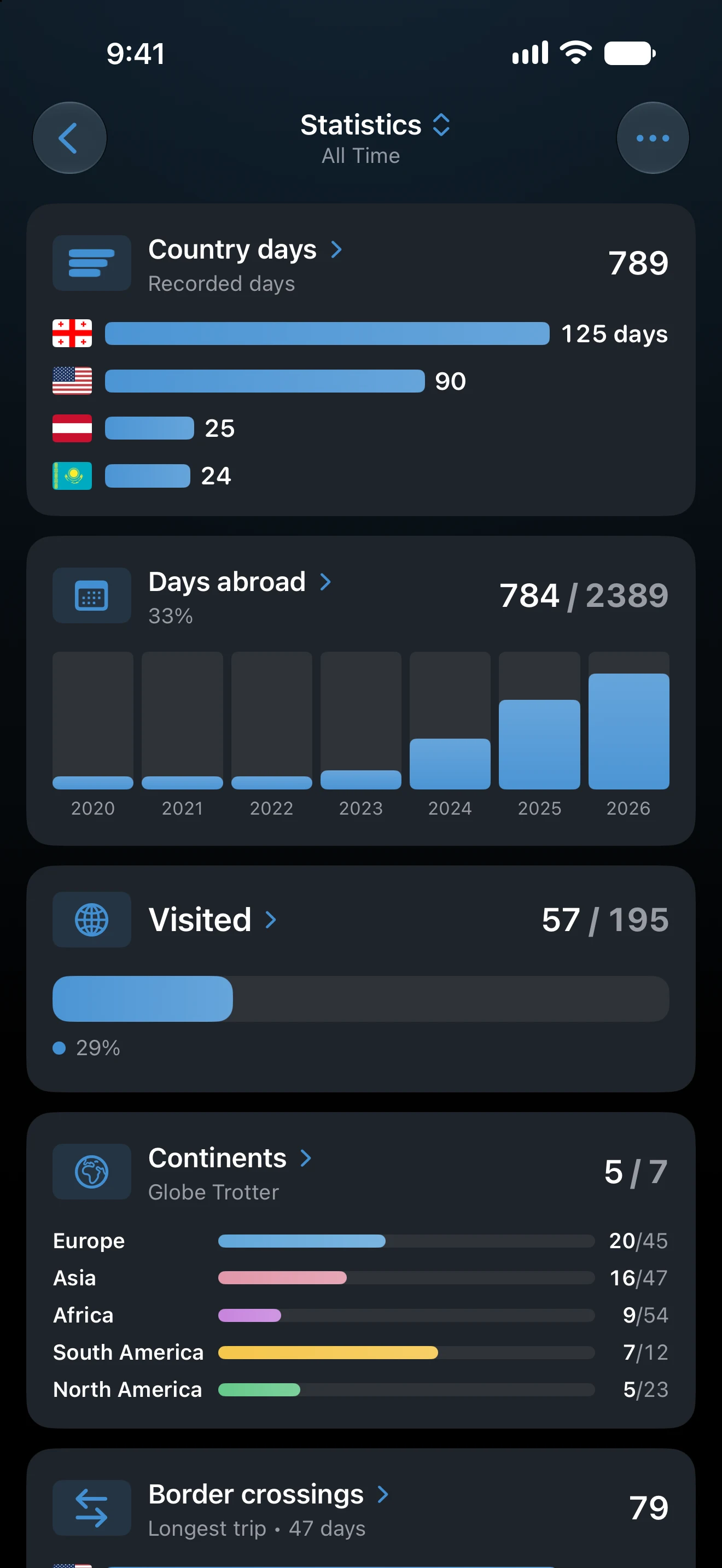
- Country days
- The days you recorded in the period, and the places with the most days. It includes the days spent at home. Only trips with exact dates count, as described in How AtlasDays Counts Travel Days.
- Days abroad
- How many of the period's days you spent away from home, as a share of the period, by month or by year. Home is taken day by day from Where I've Lived in your Profile, so a move between countries is counted correctly. Days that no residence covers are left out, and the list says how many. Until you add where you have lived, the card asks you to.
- Visited
- The places you visited in the period, measured against your Country Count list. For All Time it shows how much of the list you have seen. For a year or a range it splits the places into new ones and ones you had visited before.
- Continents
- The continents you visited, out of seven. Transcontinental countries can be assigned in Country Count.
- Border crossings
- How many times you entered a country in the period, and your longest trip. Its list ranks places by crossings, or trips by length. Airside Transit is left out, and a United States stay across several states counts once.
- US states
- A map of the US states you visited, with the state where you spent the most days. It needs Pro and US trips with a state; without Pro, the card is shown locked.
In a list, tap a place to see its trips and days. The Visited list can be ordered By Continent or Alphabetically, and its # button changes the Country Count list: UN 195, All Places, or Custom.
On iPad and an opened iPhone Duo, a card's list opens beside the cards instead of over them.
Arrange, color, and share
The ••• button at the top right of the Statistics screen holds three options:
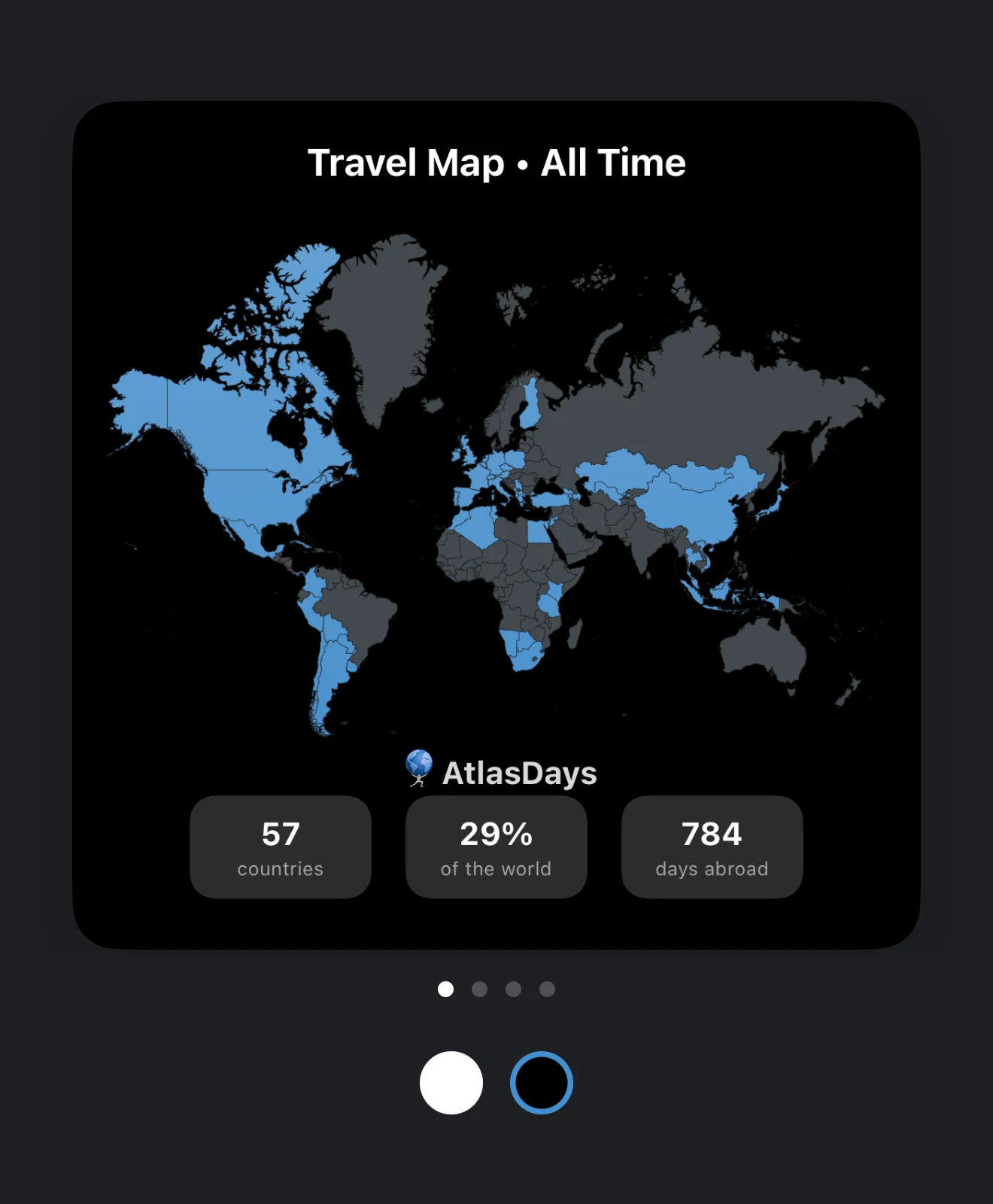
- Share opens cards you can save or send: Travel Map, Top Destinations, Continents, and Flags Collected. They use the period you chose, so check it before sharing. The card appearance and language can be changed without touching your trips.
- Color switches the bars between By Continent and By Accent.
- Reorder puts the cards in the order you want.
If a figure is surprising
Check the period first. Then open the Timeline and look at the period's Year Only, open-ended, and Transit trips, which count differently. For Days abroad, check the dates in Where I've Lived. For Visited, check your Country Count list.
Last updated November 16, 2026