

AtlasDays on iPhone Duo
Closed, iPhone Duo runs AtlasDays just as an iPhone does. Opened, the Timeline and Settings split into two panes whichever way you hold it, and folding it again keeps your place. Trips, trackers, and counting rules are the same on every device.
On this page
Closed: the same as iPhone
On the closed display, every screen looks and works as it does on iPhone, and the app stays upright in portrait. The full-screen map and the photo viewer can still turn sideways, as on iPhone. Where iOS shows its side rail beside the app, the icon buttons from the top of the screen sit in the rail, each in its own circle.
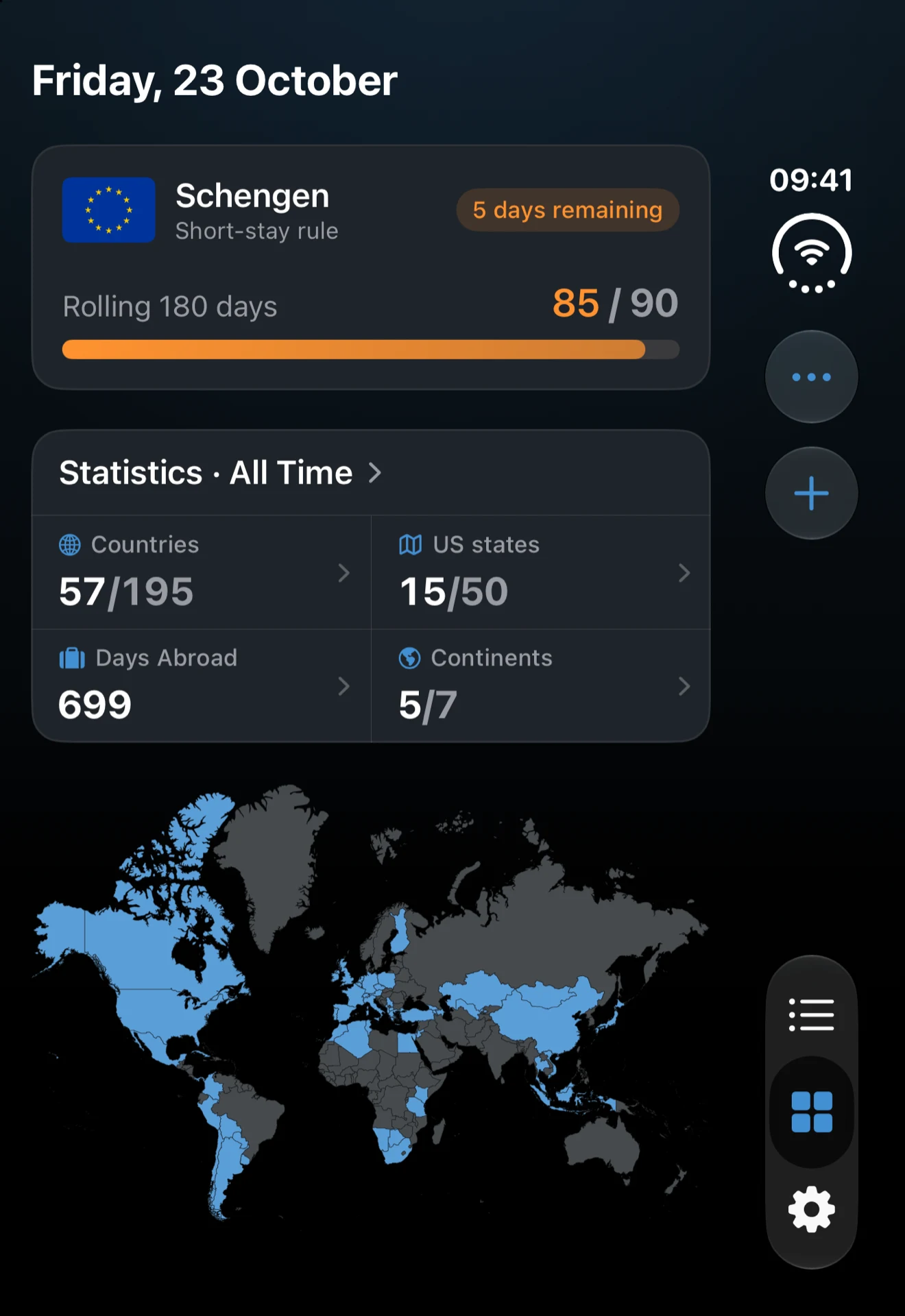
Opened: two panes
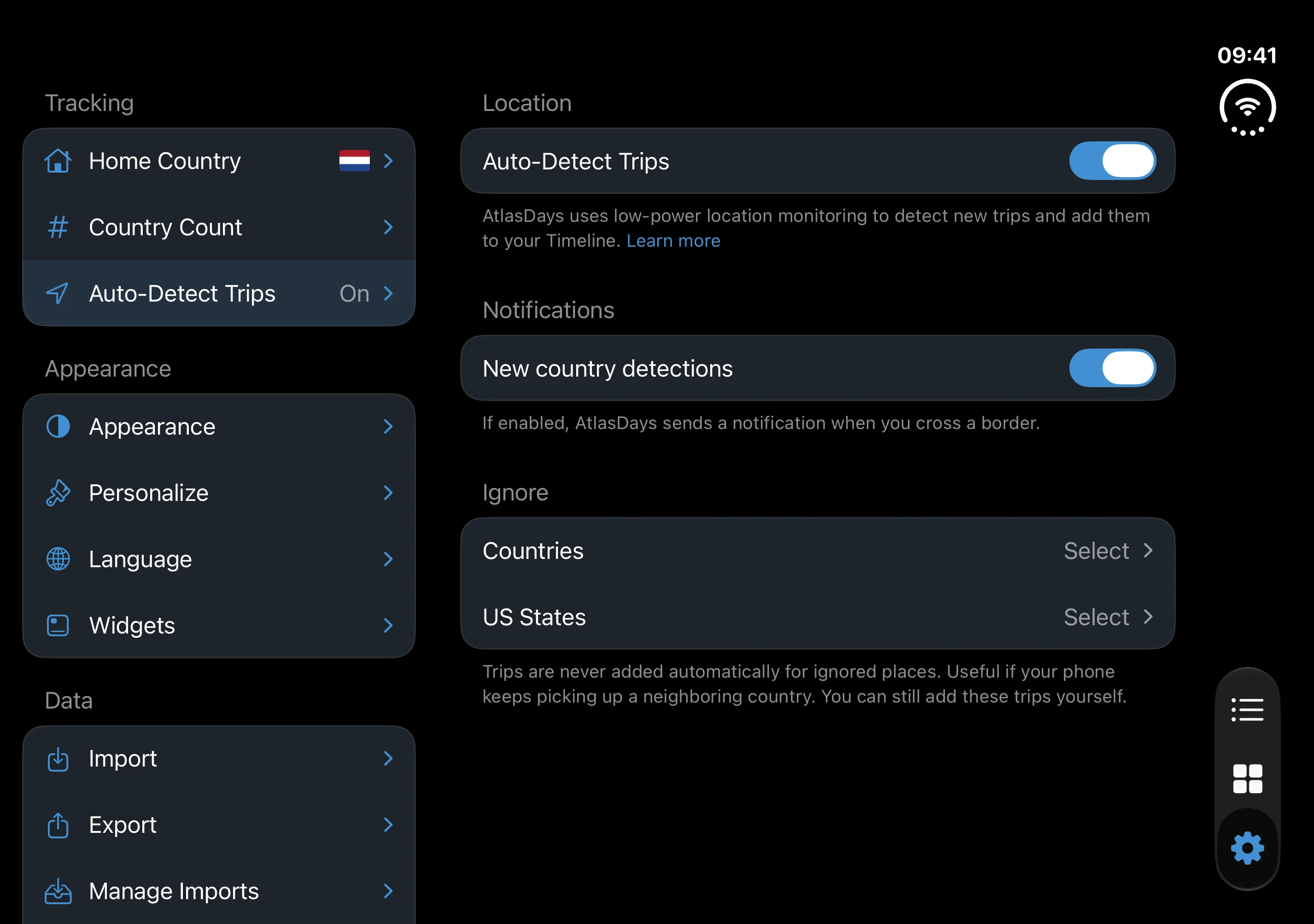
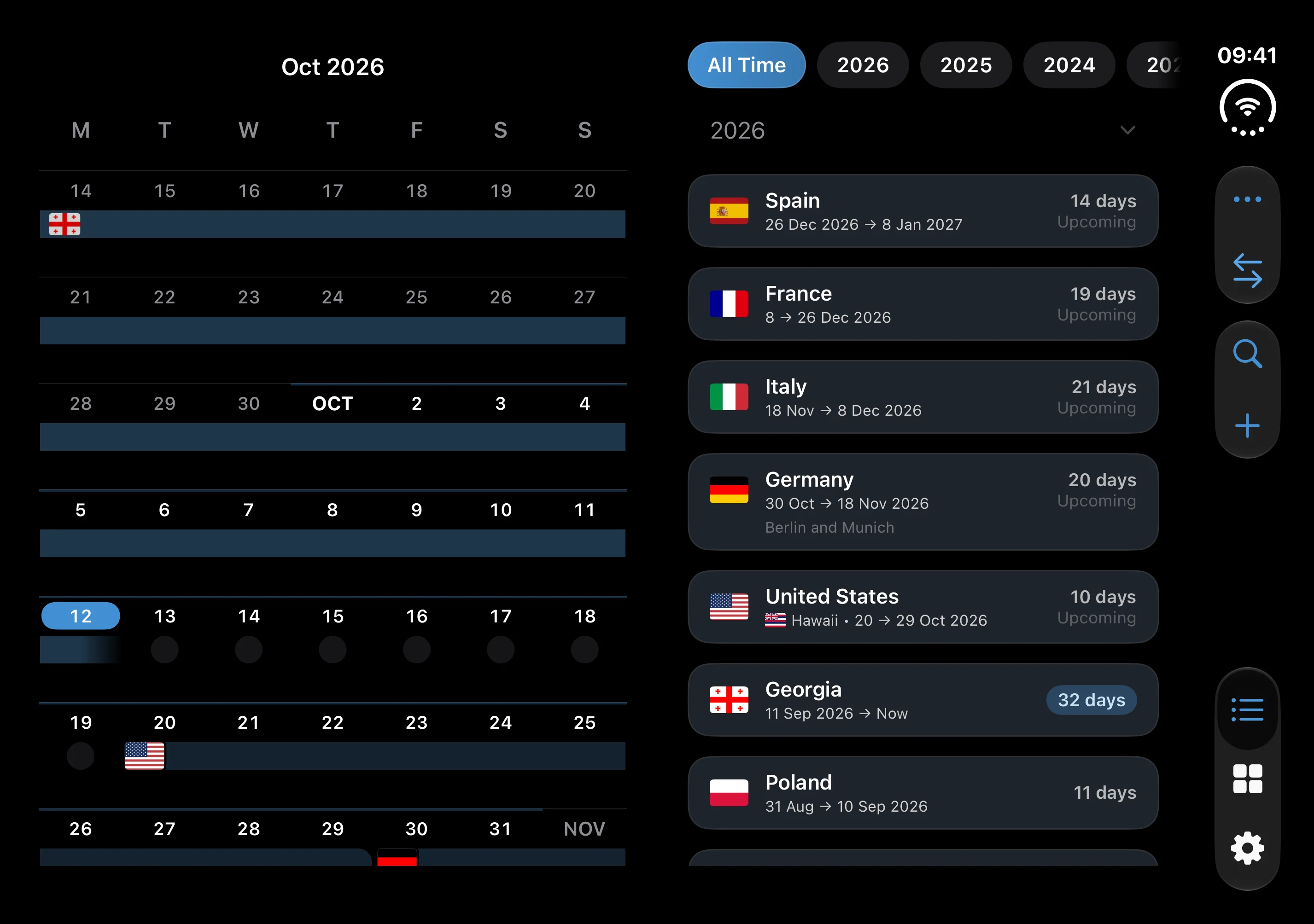
Unfold it and the Timeline shows the trip list and the calendar side by side, while Settings becomes a sidebar with the page you chose beside it. Both keep their two panes upright and sideways.
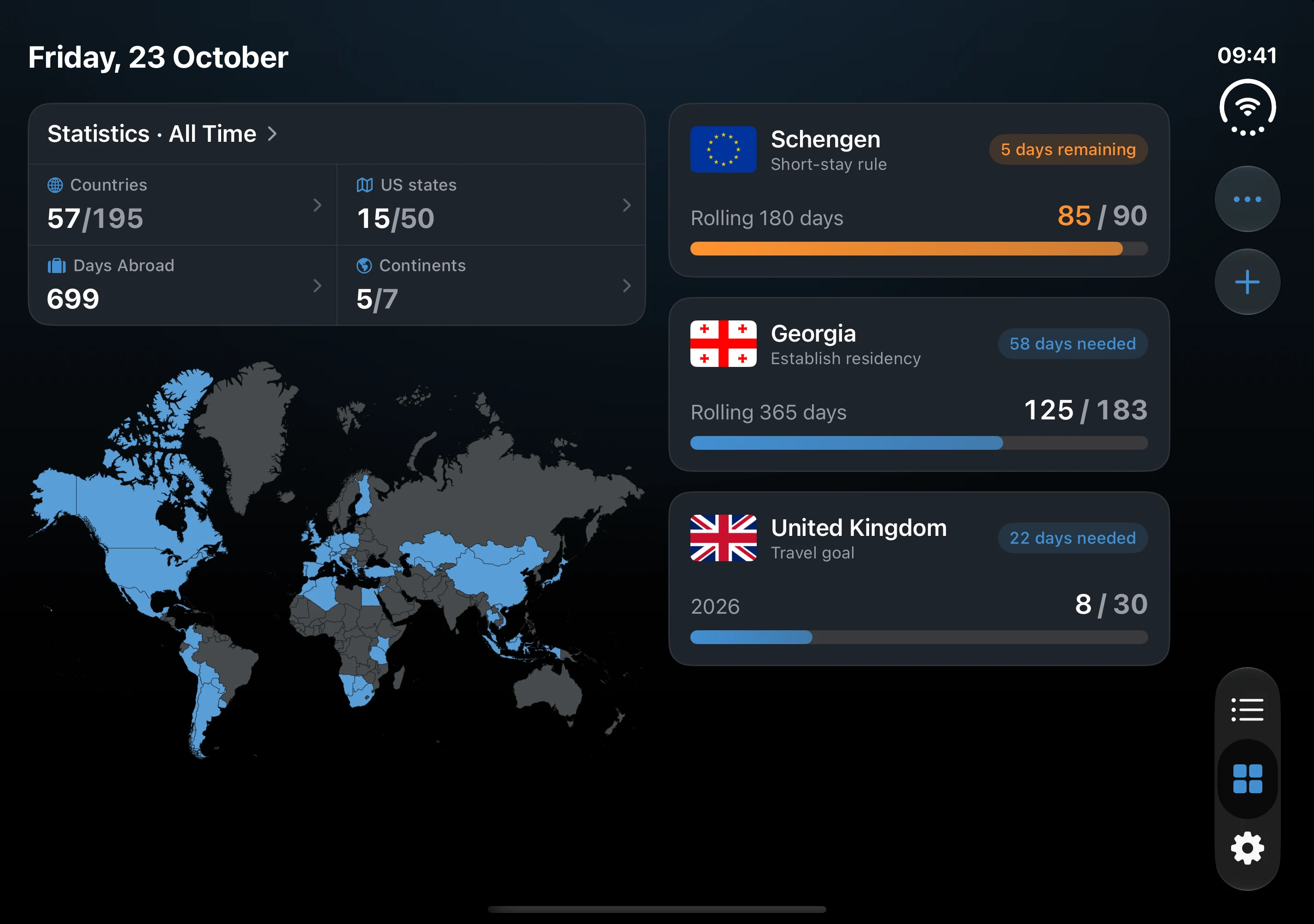
Held sideways, the Dashboard sets its cards in two columns: the statistics and the map on the left, your trackers on the right. A tracker's detail does the same, with the tracker and its chart on the left and the trips that count on the right. Upright, both keep one column, as on iPhone.
Folding keeps your place
The right pane continues the closed display. If the closed display showed the calendar, the calendar is on the right when you unfold, with the list beside it. Fold again and you see whatever was on the right. The list reopens where you left it and the calendar on the same month. Settings stays on the page you chose, folded or opened.
Swap the list and the calendar
In the two-pane Timeline, the button with two arrows beside ••• swaps the panes. The panes slide across and both keep their place. Because the right pane is the one the closed display shows, swapping also chooses what you see when you fold. VoiceOver reads the button as Swap list and calendar.
Rotation and the fold
Opened, AtlasDays turns with the device. Folding never forces a rotation. Held sideways, the Timeline divides on the fold, partly or fully open, so opening the last few degrees does not rearrange the calendar. Held sideways and partly open, the Settings sidebar reaches the fold; otherwise it takes about a third of the screen.
Sync with your other devices
Turn on iCloud Sync on each device that uses the same Apple Account to keep trips and trackers aligned between iPhone Duo, another iPhone, and iPad.
If the opened display shows one column
The Dashboard and a tracker's detail use two columns only while the opened iPhone Duo is held sideways, and a tracker's detail stays in one column at the largest text sizes. The Timeline and Settings use two panes either way up. If the opened display does not turn at all, check that Portrait Orientation Lock is off in Control Center.
Last updated October 16, 2026