

Appearance and Personalization
Appearance settings change how AtlasDays looks and behaves on screen: theme, accent color, background wash, photo previews, and animations. They never change trips, counted days, or tracker rules.
Choose a theme
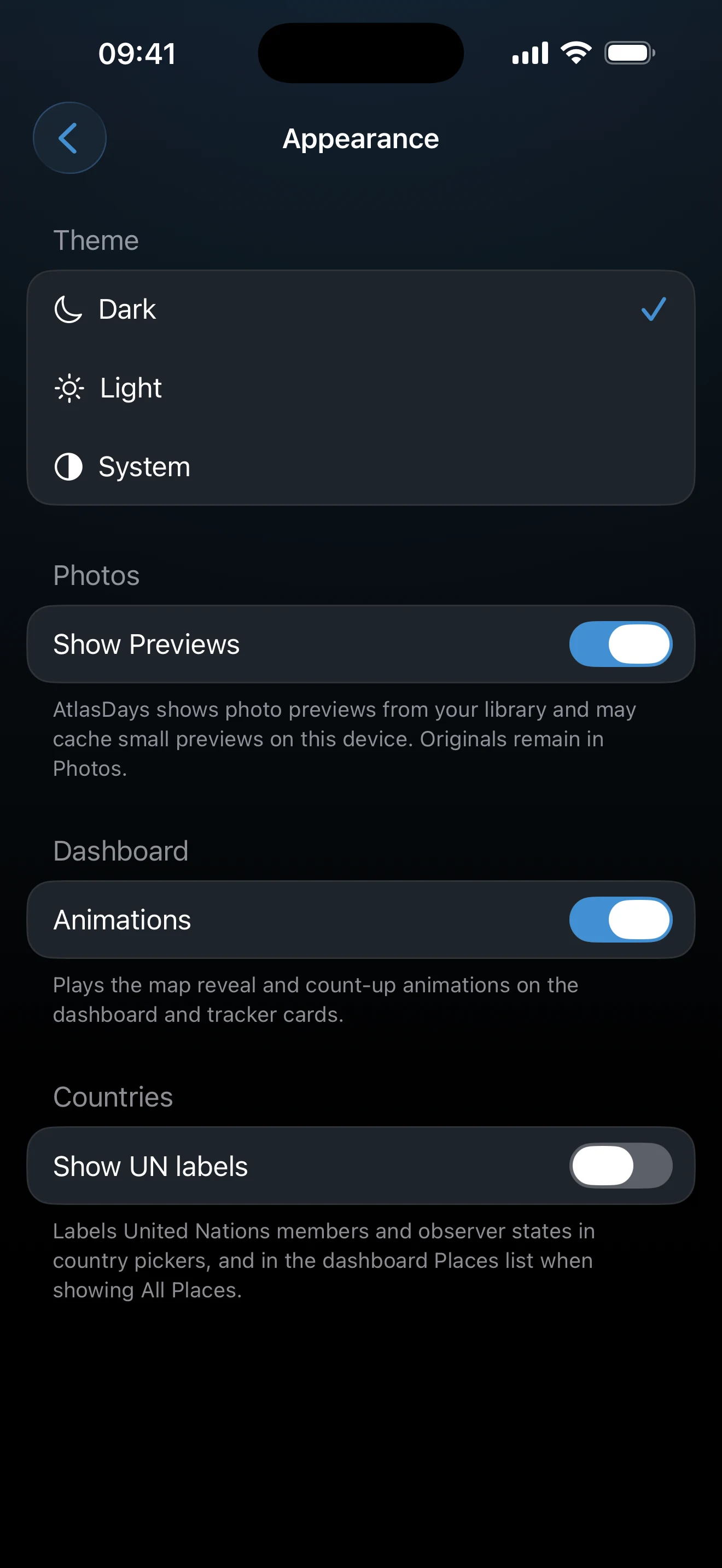
Open Settings → Appearance. Under Theme, choose System to follow the iOS setting, or Light or Dark to fix it.
Adjust the rest of Appearance
- Show Previews (under Photos) shows photo previews from your library on trips. Turn it off to hide them. AtlasDays may keep small cached previews on the device, and the originals stay in Photos.
- Animations (under Dashboard) plays the map reveal and count-up animations on the Dashboard and tracker cards. Turn it off for a static Dashboard.
- Show UN labels (under Countries) marks United Nations members and observer states in country pickers.
Personalize AtlasDays
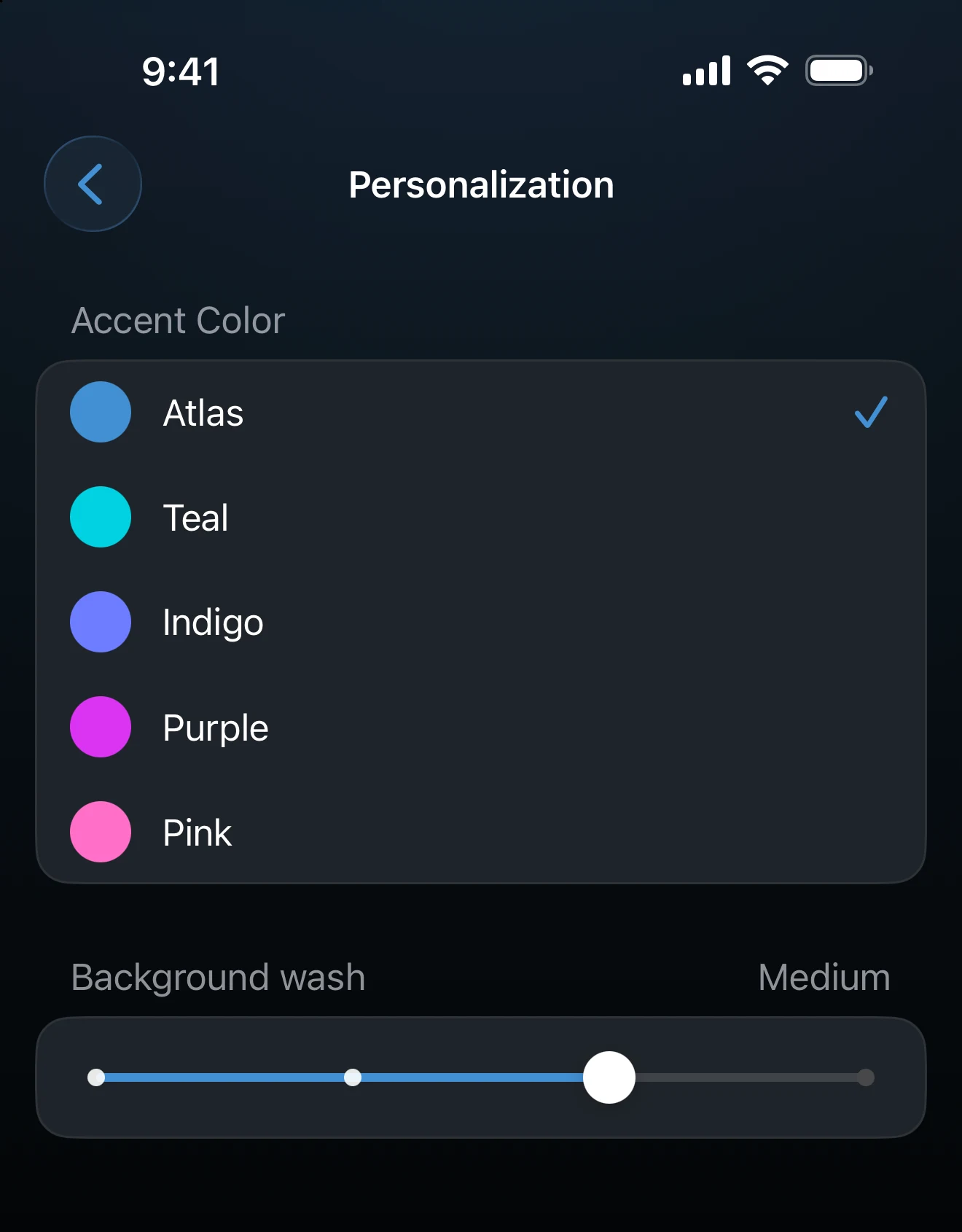
Open Settings → Personalize. The screen is titled Personalization and applies each choice immediately, with no Save step.
- Accent Color sets the color of active controls, progress bars, and the visited places on the map. Accent colors are free.
- Background wash sets how much color tints the screen backgrounds: Off, Subtle, Medium, or Bold.
- App Icon appears here for AtlasDays Pro users and lets you choose an alternative icon.
Widgets and exports
AtlasDays prepares widget map snapshots for light and dark appearances, and iOS chooses which one appears with your Home Screen. Exports and share cards have their own options.
If an app icon does not update immediately
Return to the Home Screen and allow iOS a moment to refresh it. Reopen AtlasDays if the old icon remains.
Last updated September 30, 2026