

Delete Data or Start Over
Choose the narrowest action that fits: delete one trip or tracker, remove a whole import, or use Settings → Delete or Reset for larger changes. Create an AtlasDays Backup first if you may want the data again.
Delete one record
- A trip: open it in Timeline and choose Delete Trip, or swipe the row left. A short Undo message appears after you delete from Timeline.
- A tracker: open its editor and choose Delete Tracker.
- An import: open Settings → Manage Imports to remove every trip that came from one import at once. See Import Trips.
Delete or reset in bulk
Open Settings → Delete or Reset. Each row says what it removes:
- Delete Trips removes all trips and keeps your trackers.
- Delete Trackers removes all trackers and keeps your trips.
- Reset AtlasDays deletes all data and settings and returns to setup.
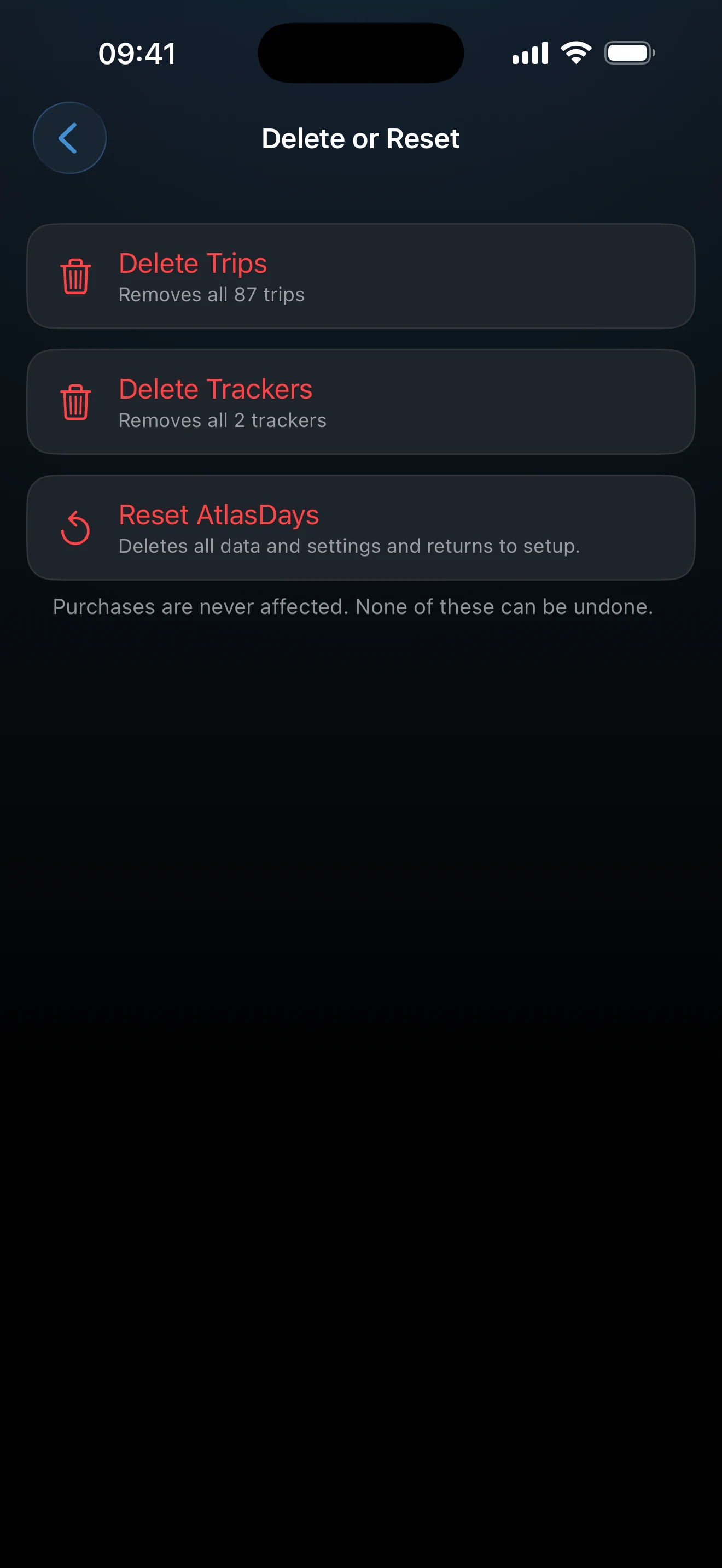
Rows for trips and trackers appear only when there is something to delete. Every action asks for confirmation on a separate screen, and you can tap anywhere outside the red button to cancel. Purchases are never affected, so AtlasDays Pro stays active after a reset.
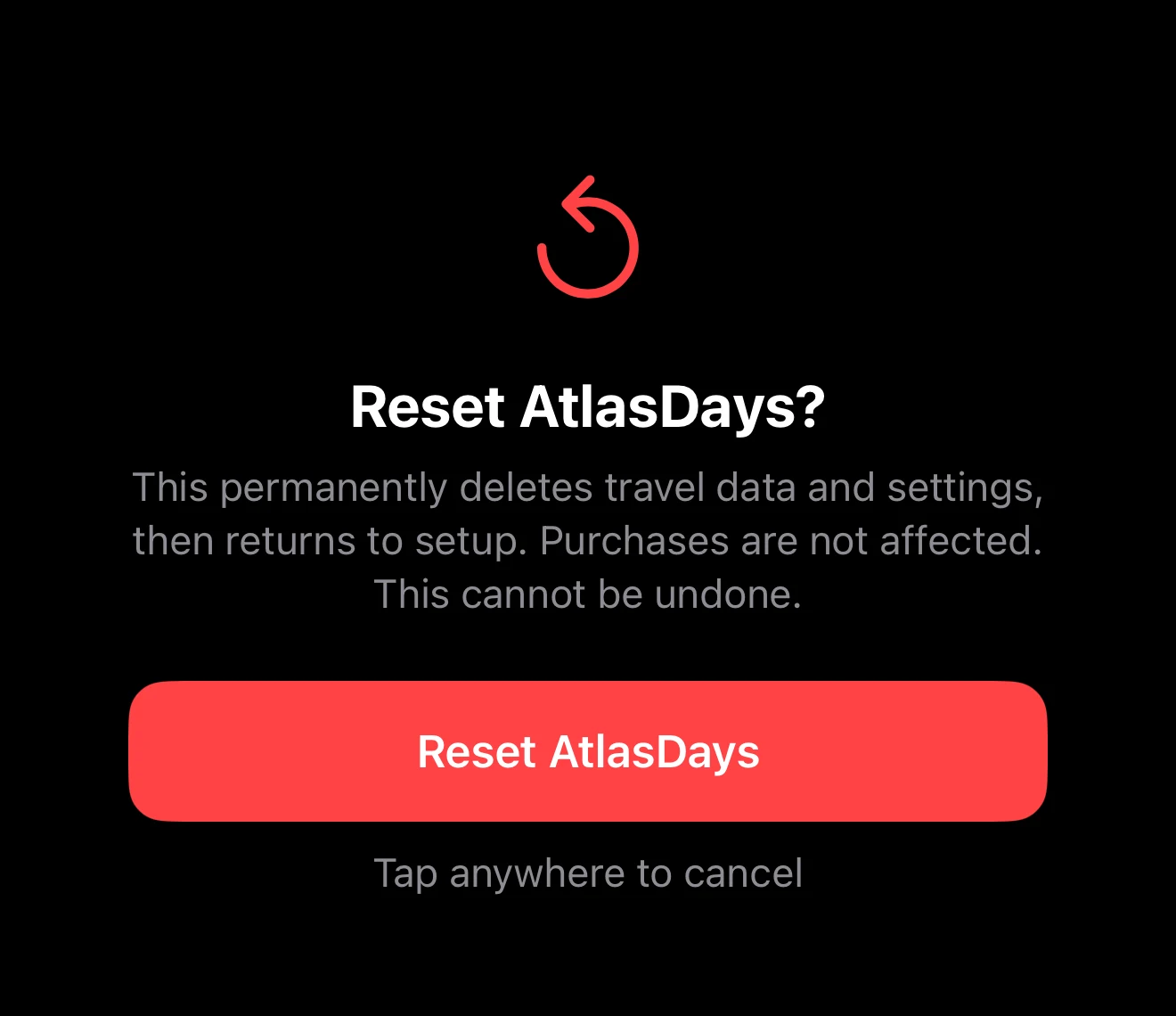
Consider iCloud before confirming
With iCloud Sync on, deleting trips or trackers also deletes them on your other devices, because sync carries deletions. Reset also clears preferences, including their iCloud copy, and stops alerts and widgets from showing the old data.
None of the bulk actions can be undone. An exported file is separate from the app and is not removed by a reset. To keep a way back, create an AtlasDays Backup before you confirm.
If you are trying to fix sync
Do not reset first. Check the iCloud Sync status and contact support while a device still holds the expected data.
Last updated September 30, 2026