

Auto-Detect Trips
Auto-Detect uses low-power background location monitoring to notice when you enter a new country and adds the trip to Timeline right away. Nothing waits for approval, and you can edit or delete the trip afterwards.
Turn on Auto-Detect
- Open Settings → Tracking → Auto-Detect Trips.
- Turn on Auto-Detect Trips.
- iOS asks for location twice. Accept While Using the App first, then Always when the second prompt appears.
- Optionally turn on New country detections under Notifications.
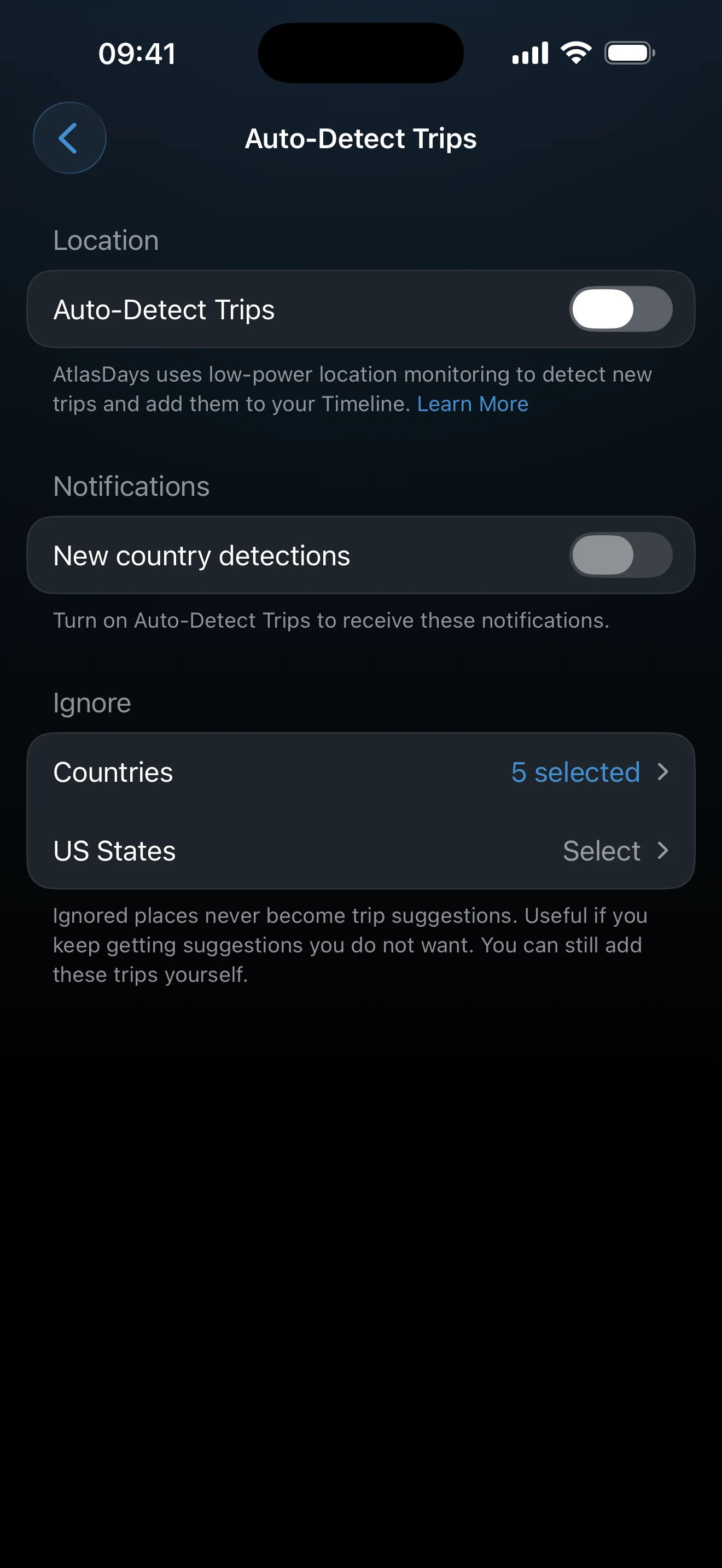
Detection only runs with Always access. If you stop at While Using, the toggle stays off. Turning it on from the Timeline card (see below) also offers the notification permission after the two location prompts; turning it on from Settings does not.
What happens when a country is detected
- The trip is added to Timeline immediately, starting on the detection date, with no end date until you leave.
- If AtlasDays is open, a banner shows the place with Undo. It disappears after a few seconds, and no push notification is shown while the app is in the foreground.
- If the app is closed, and notifications are on, you get <Place> detected with the start date. Tapping it opens Timeline.
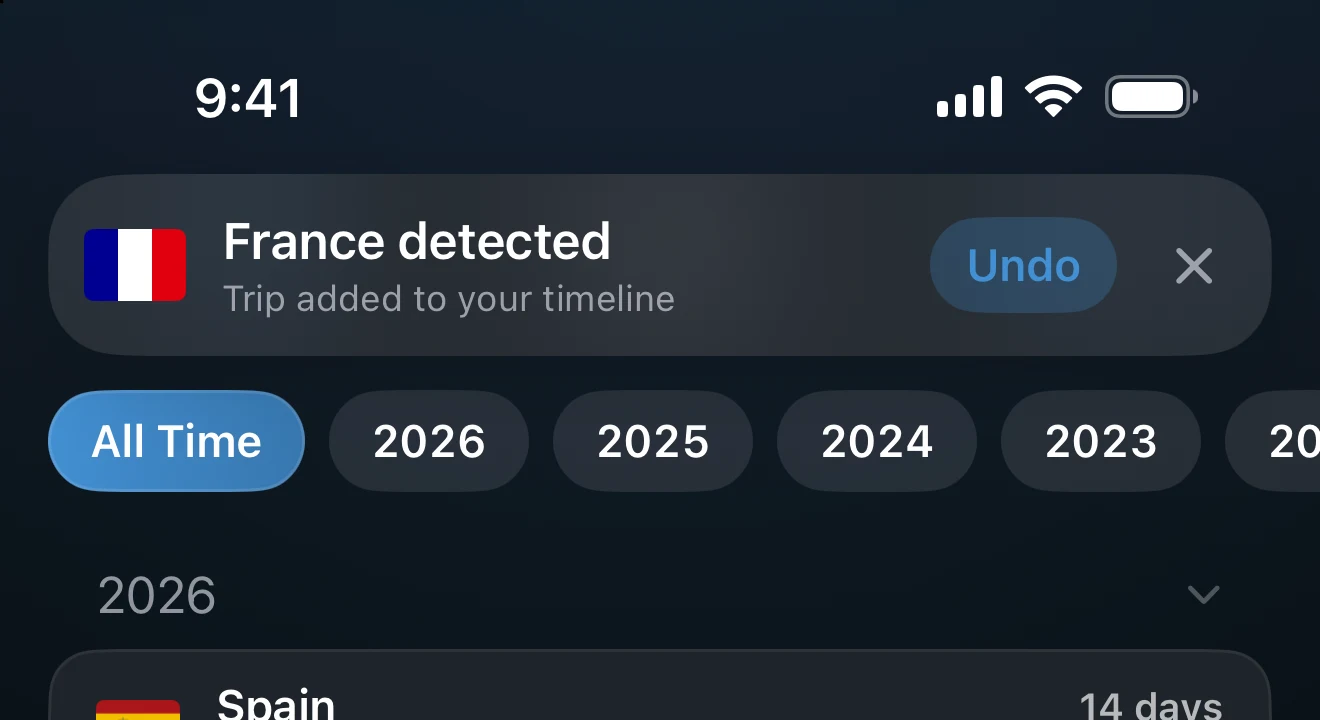
The notification has one action, Delete Trip. It removes the trip that was just added. It does not add the place to the Ignore list, and it leaves any trip whose start date you have already changed.
Trips end and transit is marked automatically
- Auto-close. When a later detection shows you left a country, the earlier open trip gets an end date. If AtlasDays is open, a toast reads <Country> trip ended (or N trips ended) with Undo for a few seconds.
- Transit. A short stop between two other countries first appears as a normal trip. When the next detection arrives, AtlasDays changes it to Transit, so it does not count toward day totals. This only happens if you have not added a purpose, notes, or photos to it.
Review detected trips
Open the trip in Timeline to check the country or US state and the dates. The start date is the day the location change was detected, so edit it where the exact day matters. US state detection is Pro; without Pro, a US trip is added as plain United States.
Ignore places you do not want detected
Under Ignore in the Auto-Detect screen, choose Countries to skip places your phone keeps picking up near a border. Pro users also get US States. No trip is created for an ignored place, and the days stay with the surrounding country. You can still add those trips yourself.
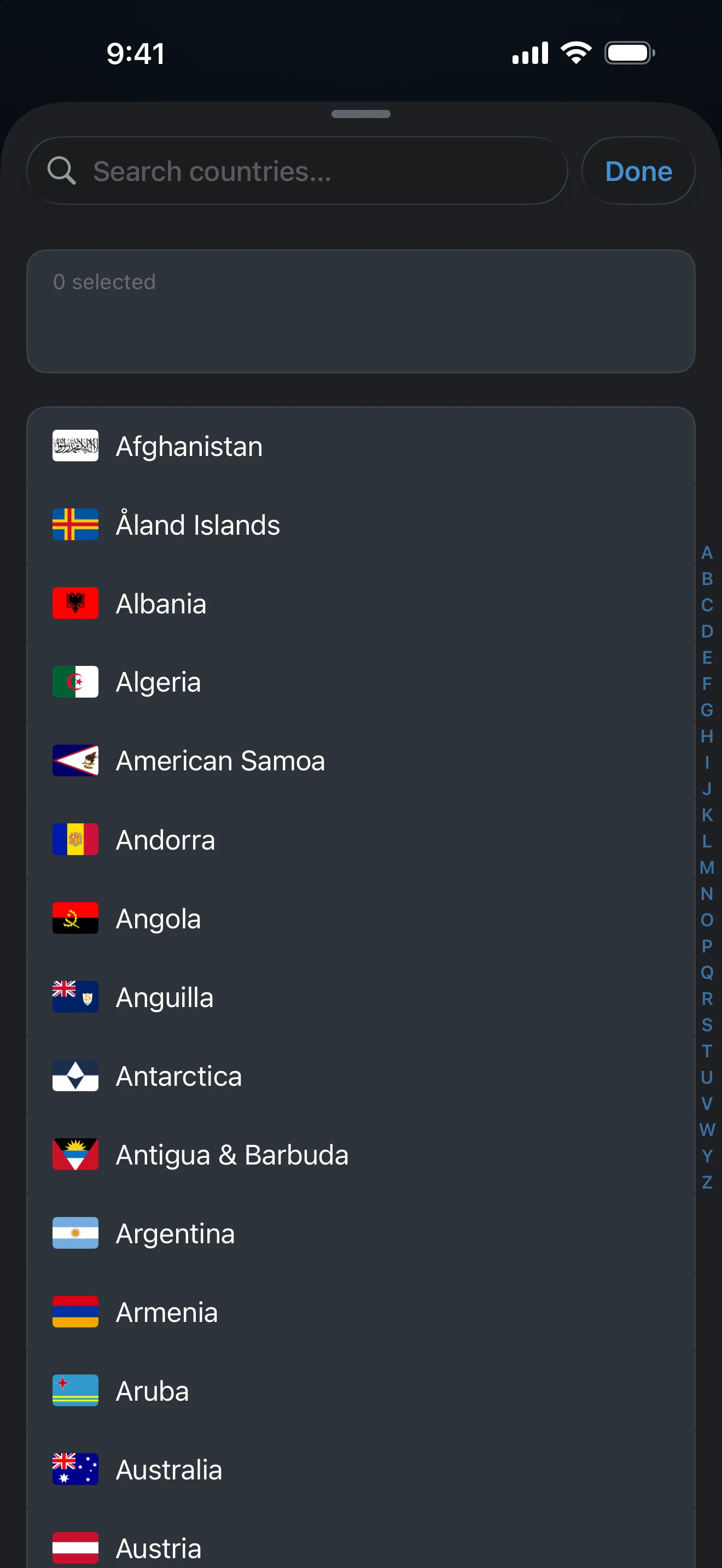
Timeline prompts
Timeline can show up to three cards at the top of the list. The X on a card hides it for good.
- Track trips automatically offers Turn On Auto-Detect and How it works. It appears while Auto-Detect is off and you have at least one trip.
- Auto-detect is paused appears when Location is no longer set to Always. Open Settings takes you to iOS Settings to fix it.
- Stay updated appears after a trip was added on this device while notifications are off, and offers Turn On Notifications.
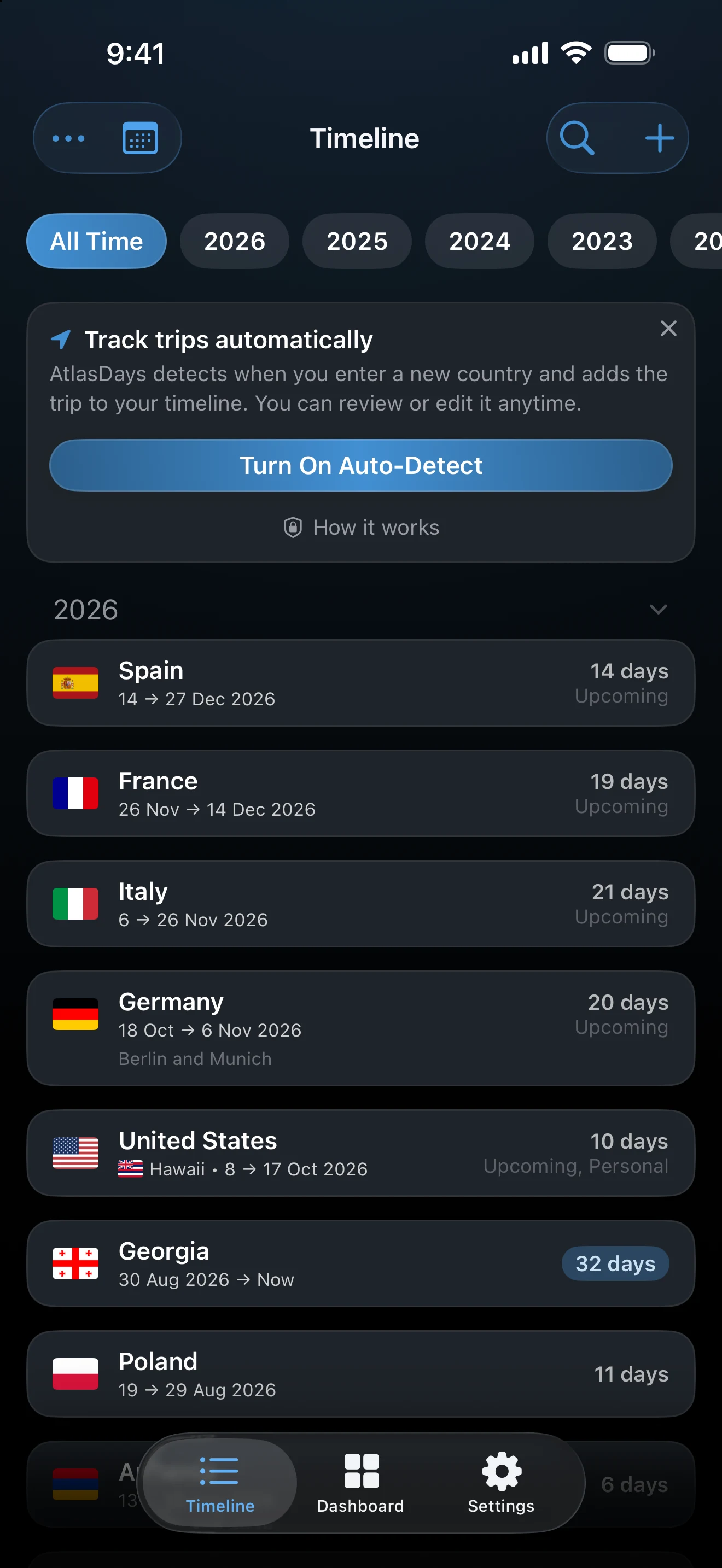
More about these cards and other Timeline controls is in Timeline tools.
Keep Auto-Detect working
- Open AtlasDays now and then. If it stays closed for a long time, iOS may stop delivering location updates.
- Do not force-quit the app from the app switcher. That stops monitoring until you open it again.
- Keep Location on Always for AtlasDays. Learn more on the Auto-Detect screen shows this list.
Not continuous GPS. Auto-Detect relies on iOS Significant Location Change events, not a stored route. Timing depends on iOS, geography, and connectivity, so a border crossing can be noticed late.
If no trip appears
Check that Auto-Detect is on, Location is set to Always, the place is not on the Ignore list, and the app has been opened recently and not force-quit. For a notification, also check that New country detections is on and iOS allows AtlasDays notifications. You can always add the trip manually.
Last updated September 30, 2026